Statements
A statement each collaborator can read in a minute.
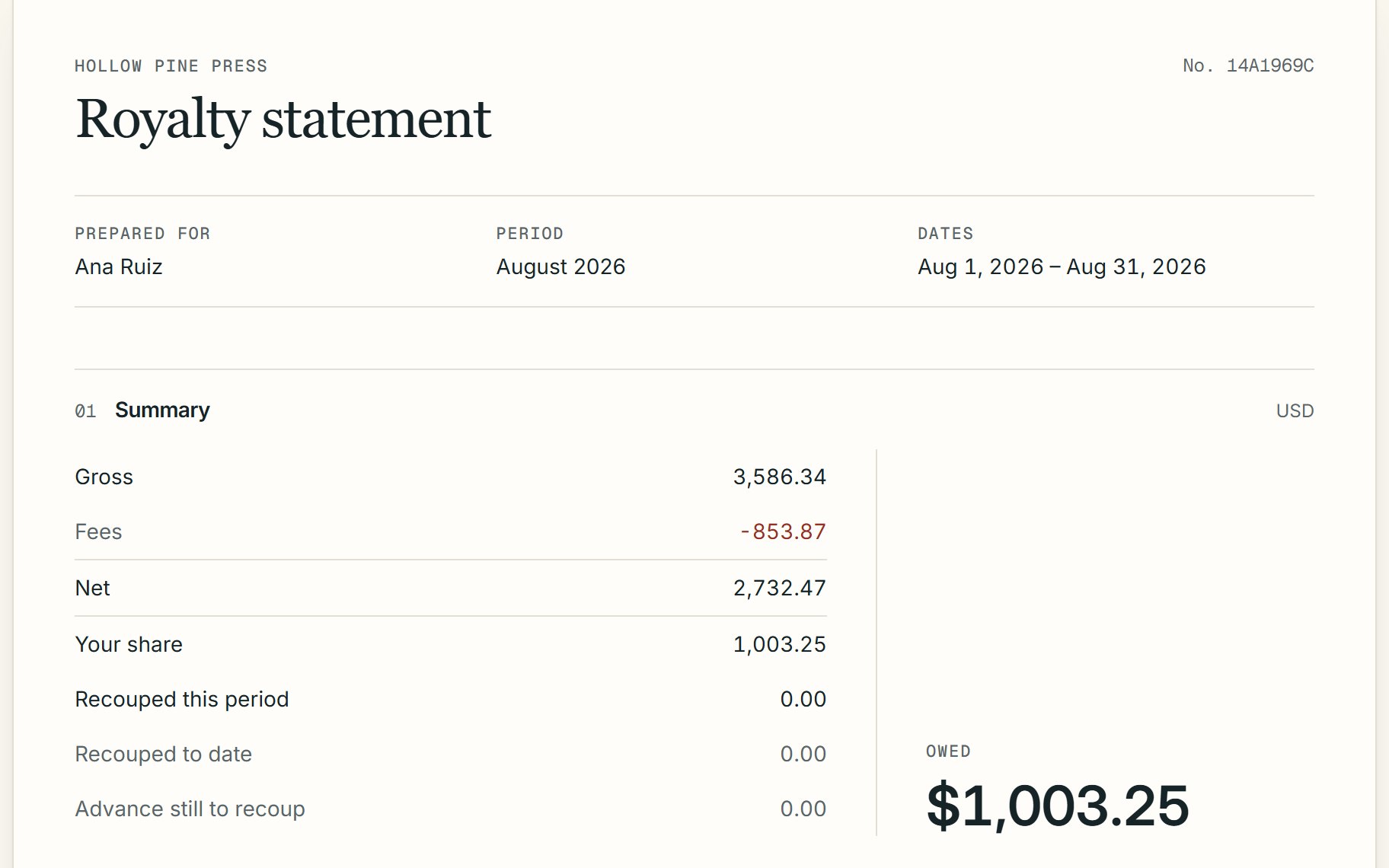
Close the month and every collaborator gets one page: sales by store, costs repaid, their share and what they're owed.

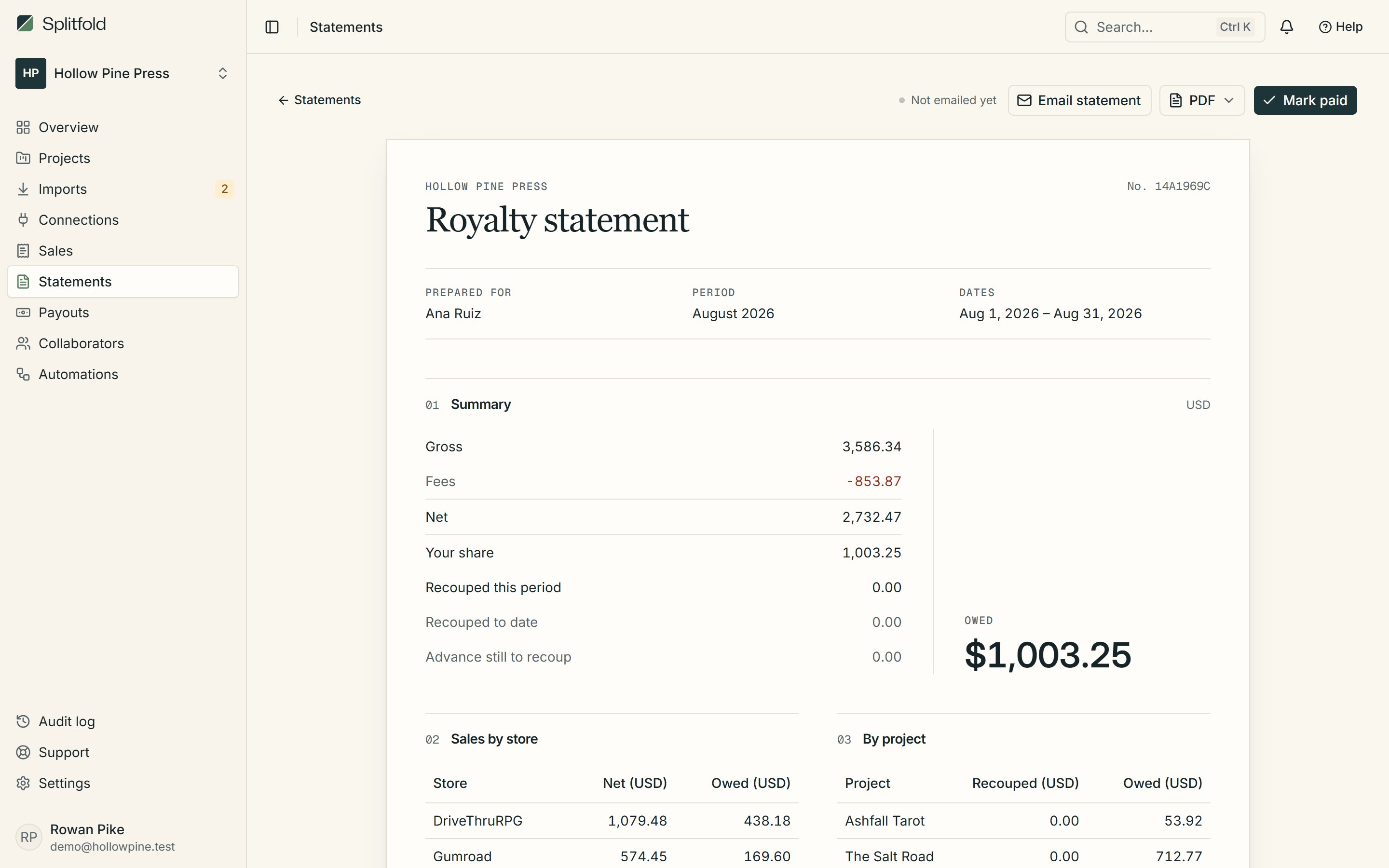
- PDF with your logo
- Every statement has a PDF made when the month closes, with your logo on it.
- Emailed on close
- Collaborators with an email address get a link the moment you close the month. Turn it off per person.
- Marked paid
- Record the date, method and reference when the money goes out. You get a weekly reminder about anything unpaid.
Closed months never change
Closing a month freezes its numbers. A correction becomes a new line in the next open month, so every statement you've sent stays true.
- Unmatched sales block the close
- Brought-forward amounts carried over
- One statement per person who earned or was owed
Exports for the end of the year
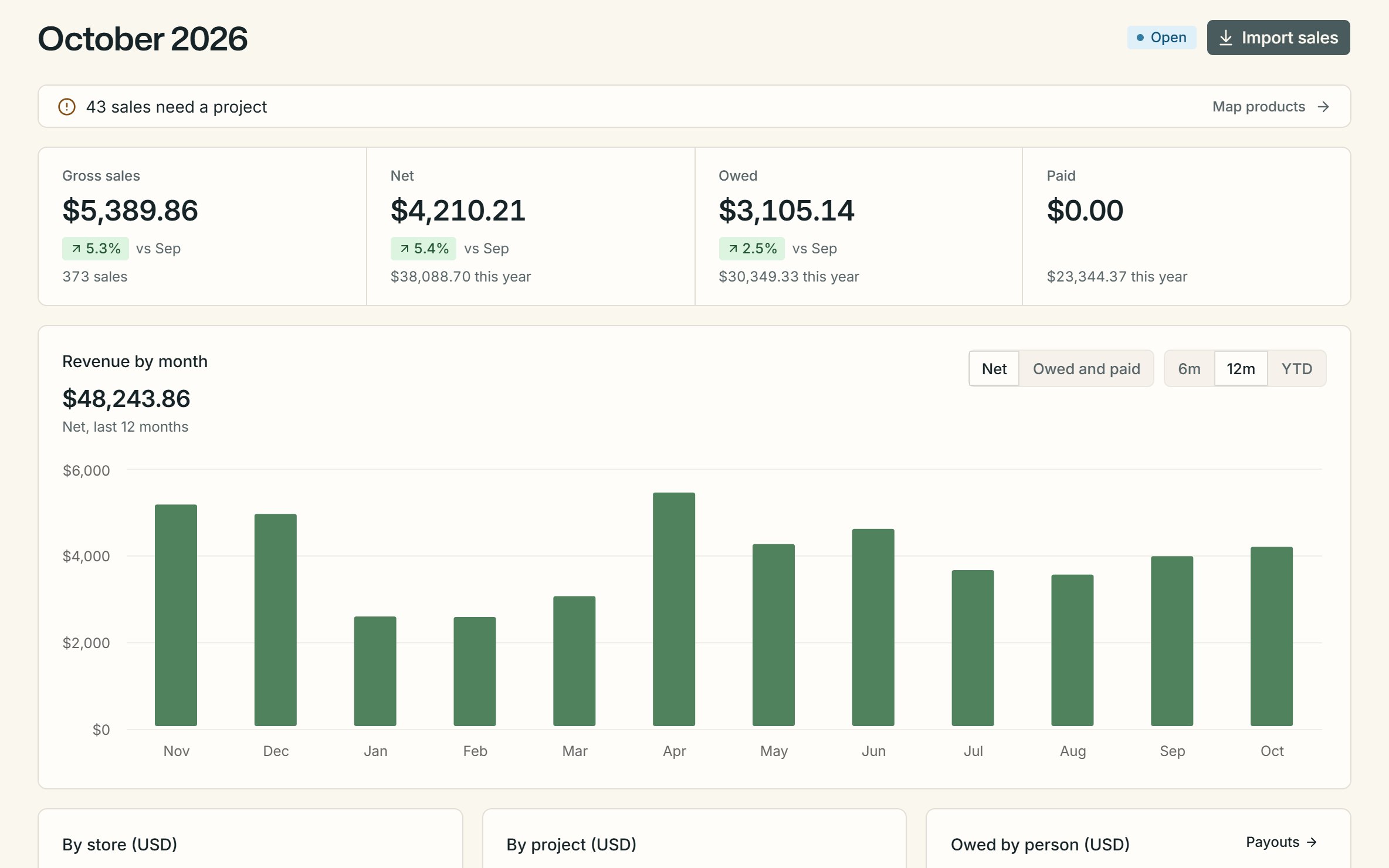
Download sales, statements or one collaborator's history as CSV. The Pro plan adds a year-end summary per person.
- CSV exports from every list
- Year-end summaries on Pro
- No tax advice, just clean numbers
01Who gets a statement?
Everyone who earned, recouped or was owed something that month. People with nothing to report don't get an empty page.
02Can I fix a mistake after closing?
Closed months stay as they are. Add the correction to an open month and it shows on the next statement.
03Does Splitfold pay people?
No. Splitfold works out what's owed. You pay the way you already do and record it, so the statement shows it as paid.
More of Splitfold
- ImportsStore CSVs read and checked before anything is saved.Learn more
- SplitsShares per project, store and date range, exact to the cent.Learn more
- Collaborator portalStatements and history for collaborators, free for them.Learn more
- Audit logEvery change recorded with who, when, before and after.Learn more